
Lokke – The Browser
Lokke - The Browser is a modern Android app built for fast, private, and secure browsing with VPN protection, ad blocking, and smart tools designed for today’s connected lifestyle.
Screenshot

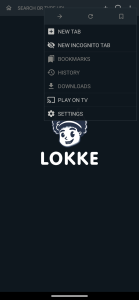
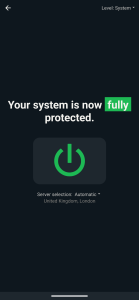
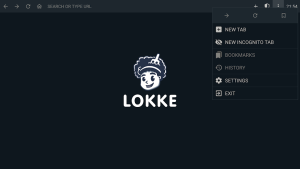
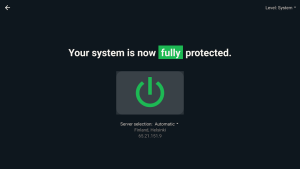
Information from lokke-the-browser

Lokke – The Browser APK Overview
Lokke – The Browser APK is the Android install file for readers hunting a fast, privacy-first browser. This guide keeps things practical: real scenarios, verified specs, and plain-English tips so you can judge whether the tool fits daily scrolling, studying, streaming, and life on public Wi-Fi.
Lokke is developed by Planai Handels GmbH and pairs standard web features with a system-wide VPN, built-in ad blocking, remote-friendly TV navigation, and broad video codec support. Public listings show version 1.0.26 updated March 23, 2025, around 500K+ installs, a rating near 4.6/5, Android 7.0+ support, and an APK about 35.6 MB. It’s free with optional in-app purchases. Cross-check those details on the developer website and Google Play before installing.
Who Should Use This Browser
Students who often hop between campus and café networks will appreciate one app handling browsing and VPN without juggling multiple subscriptions. Travelers using airport Wi-Fi can route not only tabs but also messaging and maps through the same encrypted tunnel. Android TV users get a layout that respects a remote control, which means couch-friendly searching and long reads without the awkward cursor dance. Lokke – The Browser makes the most sense for anyone who prefers a clean, ad-reduced web and a single settings panel to run the show.
If you need a deep extension marketplace, dev-grade tools, or desktop-level customization, a heavyweight alternative may be better. VPN layers can add latency or trigger service blocks, while ad filters sometimes hide legit site elements. Quick fixes like switching to a nearby server or whitelisting trusted pages usually solve it. The point here is fit: pick the setup that matches how you actually browse.
Privacy And Security Made Simple
A system-wide VPN matters because it covers more than tabs. Mail, social apps, and streaming traffic can ride the same encrypted route, which shrinks the window for snoops on shared networks. Server switching and region selection should be clear enough that you can choose proximity for speed or a different location when content rules allow it. Lokke – The Browser supports that approach without extra apps.
Remember, a VPN hides your IP path but doesn’t replace basics. Turn on two-factor authentication, use unique passwords, and log out on shared devices. The integrated adblock cuts a lot of tracking scripts, making pages lighter and calmer. When a site you trust relies on ads or a page breaks, add it to an allowlist rather than turning everything off. Before committing, scan the developer’s privacy policy, look for any logging statements, check update cadence, and read community feedback. If third-party audits appear later, that’s even better for long-term trust.
Speed, TV Mode, And Media
The small install footprint and recent stability updates are positive signals for snappy tab handling. Connection speed with a VPN depends on distance and server load, so a nearby endpoint usually keeps streaming and downloads smooth. TV mode helps when you’d rather browse from the sofa; the interface favors directional input instead of constant cursor nudging, which is a relief during long articles or quick searches.
Codec support is underrated but practical. Wider format compatibility means fewer “file not supported” headaches when you bump into older videos or niche archives. If you’re mindful of battery and data, keep background tabs under control, prefer Wi-Fi for heavy streaming, and pause the VPN only when privacy isn’t required and local rules permit.
Everyday Use Cases And Tips with Lokke
On study days, the adblocker trims visual clutter so notes and reading apps share screen space without constant interruptions. Save your go-to resources in a single start session and you’ll spend less time hunting and more time writing. During travel, combine the system-wide VPN with a nearby server to keep maps, messaging, and payments consistent on hotel or airport networks. Respect service terms and local regulations while you do it.
Work from phone? Route productivity apps through the same encrypted channel while keeping personal and work profiles separate to avoid notification chaos. At home, pair TV mode with codec breadth for fewer playback snags. If a streaming page misbehaves under filtering, allowlist that domain and refresh. Good hygiene wins in the long run: update promptly, review permissions, and source the APK from a reputable catalog that vets uploads.
Features That Matter Most Today
Core Browsing Toolkit
The interface is clean and direct, which shortens the path from search to result. Tabs are easy to juggle, settings aren’t buried, and everyday tasks like reading, shopping, or paying bills stay straightforward. When you’re balancing schoolwork and social apps, fewer pop-ups and fewer menus save time.
Privacy & VPN Layer at Lokke
The integrated VPN covers system traffic and supports country switching. Pick a nearby location for latency-sensitive tasks or a different region where that’s permitted and compliant. Keep platform rules in mind, and remember that privacy tools work best alongside secure passwords and 2FA.
Performance & Compatibility
Built-in adblock trims data use and makes pages feel lighter. Codec support widens the list of videos that just play. Compatibility with Android 7.0+ and recent updates signals active maintenance, which matters for security fixes as much as speed.
Pros And Cons Comparison Guide
Where Lokke Shines
You get an all-in-one stack that reduces app clutter: browser, system-wide VPN, and adblock working together. TV mode respects the remote, so living-room browsing doesn’t feel hacked together. Fresh updates, a solid rating, and a sizable install base indicate active development and real-world momentum.
Where It Could Improve
Power users may look for clearer guidance on extensions, sync, or advanced dev tooling. VPN throughput varies by route and server load, and some services push back on VPN traffic. Transparency on server operations and any independent audits would help as the product matures. Optional in-app purchases are present, so compare that against any VPN plan you already pay for.
Final Thoughts
Lokke targets people who want privacy and fewer distractions without building a complex toolchain. If your day moves from campus Wi-Fi to couch reading and occasional trips, the mix of system-wide VPN, adblock, TV mode, and codec coverage lands in a practical sweet spot. Try it with your real workflow, from note-taking sites to messaging apps, and keep settings tuned rather than set-and-forget.
To keep installs clean and current, grab a verified package from a trusted source. For a vetted option, download the official and safe Lokke – The Browser APK at APKJaka and keep updates on to maintain stability and security over time.
FAQs
What is Lokke - The Browser APK?
Lokke - The Browser APK is the Android install package for a privacy-first browser with an integrated VPN, built-in adblock, TV-friendly navigation, and broad video codec support.Is Lokke - The Browser safe and legitimate?
Yes—when you get it from trusted sources like Google Play or the developer’s official site. Review app permissions and the privacy policy before using.Does the VPN work system-wide, and how do I use it?
Yes, it can secure traffic from other apps, not just browser tabs. Choose a nearby server for better speed; if a site breaks, switch servers or briefly turn the VPN off.Which Android/TV features help day to day?
Adblock reduces ads and trackers, TV mode makes remote navigation simple, and codec support cuts “file not supported” errors—keeping browsing focused.Is it free? What are the basic specs?
Free to download with optional in-app purchases. Public details: ~35.6 MB, Android 7.0+, version 1.0.26 (updated March 23, 2025), ~4.6 rating, 500K+ installs.